
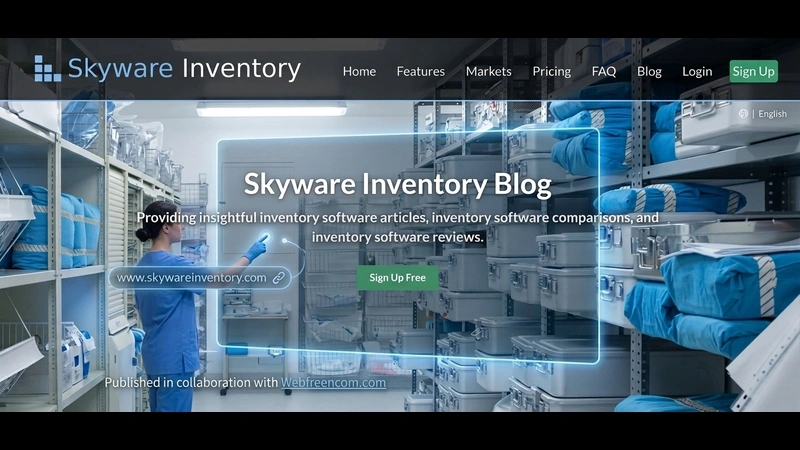
Many small businesses still track stock in a spreadsheet. A single typo can hide a stockout until a customer complaint reveals it, and manual counts eat hours that a team could spend on sales or service. Inventory management software fixes this problem. It gives real time stock counts, sends reorder alerts, and shows every warehouse on one dashboard.
What Is Inventory Management Software
Inventory management software is a system that keeps a live record of stock counts, purchase orders, and shipments in one place. It replaces manual counts and paper logs with live data. Most systems scan barcodes or RFID tags to update counts the moment an item moves.
Teams can then see stock levels across every store, warehouse, or sales channel from a single screen. This visibility helps a business avoid two costly mistakes: running out of a popular item and holding too much of a slow seller.
Why Inventory Management Software Matters Right Now
The market for inventory management software keeps growing at a fast pace. Grand View Research valued the global market at 3.7 billion dollars in 2025 and expects it to reach 7.1 billion dollars by 2033.
Future Market Insights reports that cloud based systems already make up most new deployments, since they need less upfront cost and update in real time. This growth shows that more companies now treat inventory software as a core tool rather than an optional upgrade.
Businesses that want to see the full financial picture can also read the detailed breakdown of inventory carrying costs before they set a software budget.
Core Features to Look For
A strong inventory management system covers far more than a stock count. The table below lists the features that matter most and why each one earns its place in a shortlist.
| Feature | What It Does | Why It Matters |
| Real-time stock tracking | Updates counts the moment an item moves | Prevents stockouts and overselling |
| Barcode and RFID scanning | Reads item data without manual entry | Cuts counting errors and saves time |
| Automatic reorder alerts | Flags low stock before it runs out | Keeps popular items in stock |
| Multi-location dashboard | Shows stock across every warehouse or store | Supports accurate fulfillment decisions |
| Reporting and forecasting | Tracks sales trends and predicts demand | Reduces excess stock and waste |
| Integrations | Connects with sales, shipping, and accounting tools | Removes duplicate data entry |
Types of Inventory Management Software
Cloud Based vs On Premise Systems
Cloud based systems run on the vendor’s servers and update from any device with internet access. On premise systems run on local hardware and give a company full control over its own data. The table below compares the two paths.
| Deployment | Setup Cost | Access | Best For |
| Cloud based | Low upfront cost | Any device with internet | Small and growing businesses |
| On premise | Higher upfront cost | Local network only | Large firms with strict data rules |
General Purpose vs Asset Tracking Software
Some systems focus only on retail stock, while others track fixed assets such as tools, vehicles, and equipment. A business that manages both inventory and long term assets often needs a tool built for that mix. Skyware Inventory is one example of asset tracking software built to log equipment location, condition, and maintenance history alongside regular stock counts. A team that picks a tool like this can avoid running two separate systems for inventory and assets.
Steps to Pick the Right Inventory Management System
A short, structured process keeps the selection on track and stops the team from picking a tool based on a demo alone.
- List the current pain points, such as stockouts, overstock, or count errors from the last quarter.
- Set a budget range that includes setup, training, and monthly fees.
- Compare cloud based and on premise options against the data rules your business must follow.
- Check the integration list against your sales, shipping, and accounting tools.
- Run a 30 day trial with real stock data before you sign a full contract.
Common Mistakes to Avoid
- Choosing a system on features alone, without a trial run on real data.
- Skipping staff training, which leads to low adoption and bad data.
- Ignoring integration limits with the tools the team already uses.
- Delaying the data migration plan until the week before launch.
A team that wants to see how these mistakes affect the bottom line can review our guide to inventory turnover ratio for a closer look at slow moving stock.
Frequently Asked Questions
What does inventory management software cost?
Pricing ranges from a small monthly fee for a basic cloud plan to a larger one time license fee for an on premise system. Most small businesses pay a monthly fee based on order volume or user count.
Can small businesses use inventory management software?
Yes. Cloud based plans scale down to a single location and a small product catalog, so a small business can start with a basic plan and add features as it grows.
Does inventory software replace a warehouse management system?
Not always. Inventory software tracks stock levels and orders, while a warehouse management system also directs staff movement inside a facility. Many teams read our guide to warehouse management systems before they decide whether they need both tools.
How long does it take to set up inventory management software?
A cloud based system with a clean product catalog can go live within one to two weeks. A large catalog, multiple locations, or heavy customization can push setup past a month.
A business that matches its current stock volume to the right system, and plans a clear path to grow into it, gets the most value from the switch.
For more informational content visit our website.